Introducing Nutrify 2.0
Multi-Food Mode, 552 New Foods and Food Share

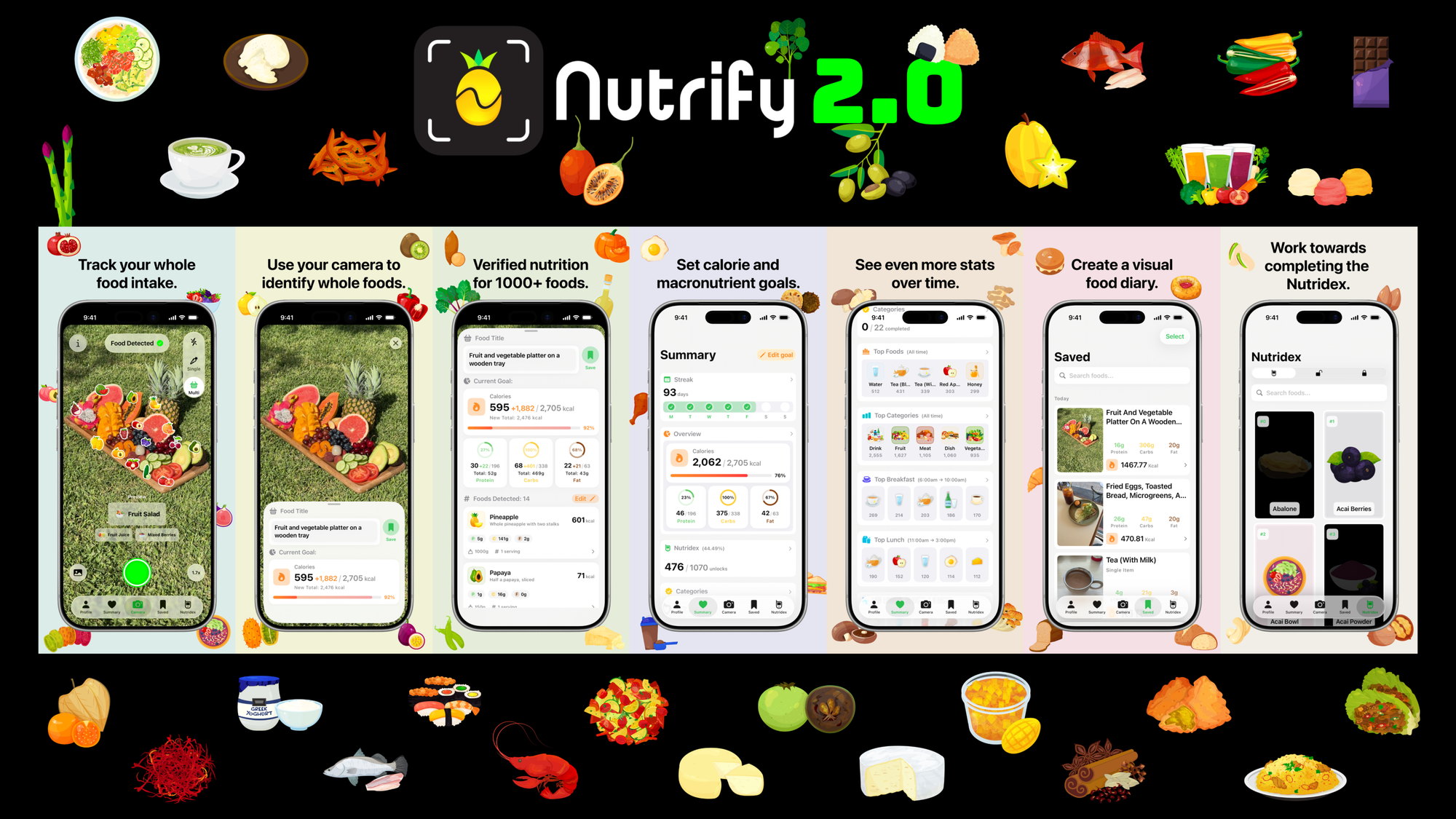
TL;DR: Nutrify 2.0 introduces:
- Multi-Food Mode - Identify all visible foods/drinks, number of servings and weights from a single image.
- 552 New Foods - We've over doubled the size of the Nutridex (518 → 1070).
- Food Share - Export your meals with beautiful Nutrify icon or nutrition overlays.
Longer version
Continuing our mission to make whole foods fun, we're excited to release Nutrify 2.0!
Multi-Food Mode (Premium Feature)
You can now easily track all of the whole foods and drinks in an image using Nutrify's upgraded AI model.
Simply take a photo of food and Nutrify will break down what it can see to the ingredient level, estimating weights and number of servings.
Best practice is to make sure the foods/drinks you'd like to track are in the field of view.
If Nutrify makes a mistake, you can easily edit these items in the pop up.
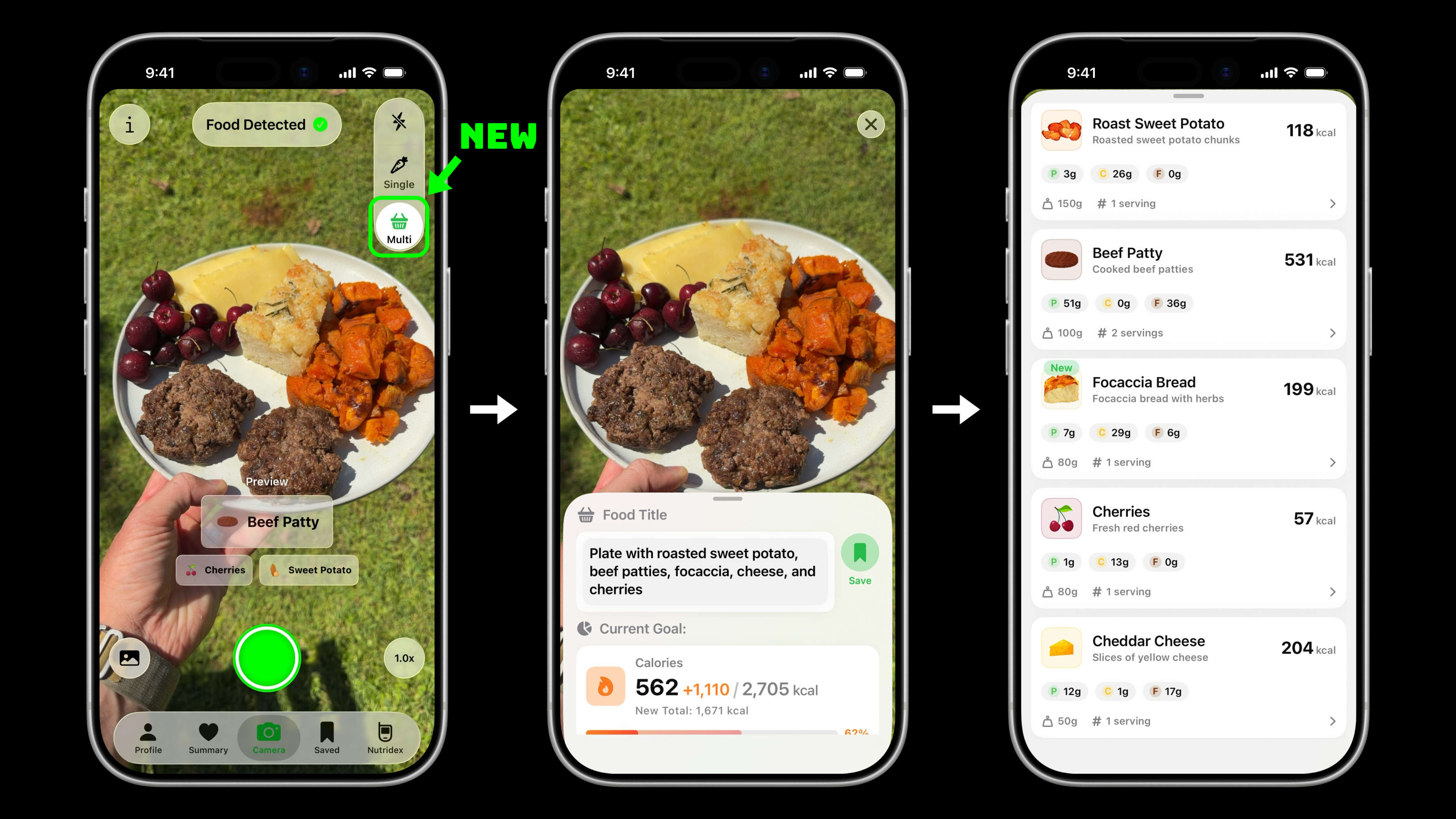
Multi-Food Mode breaks down a plate of food into individual ingredients with estimated weights and nutrition information.
Single-Food Mode remains for free instant on-device one image, one food tracking.
552 New Foods
We've over doubled the size of the Nutridex (from 518 → 1070, +552 foods, a 107% increase)!
Each food comes with a beautifully designed custom icon.
And with the new Multi-Food Mode, these should be quite fun to collect!
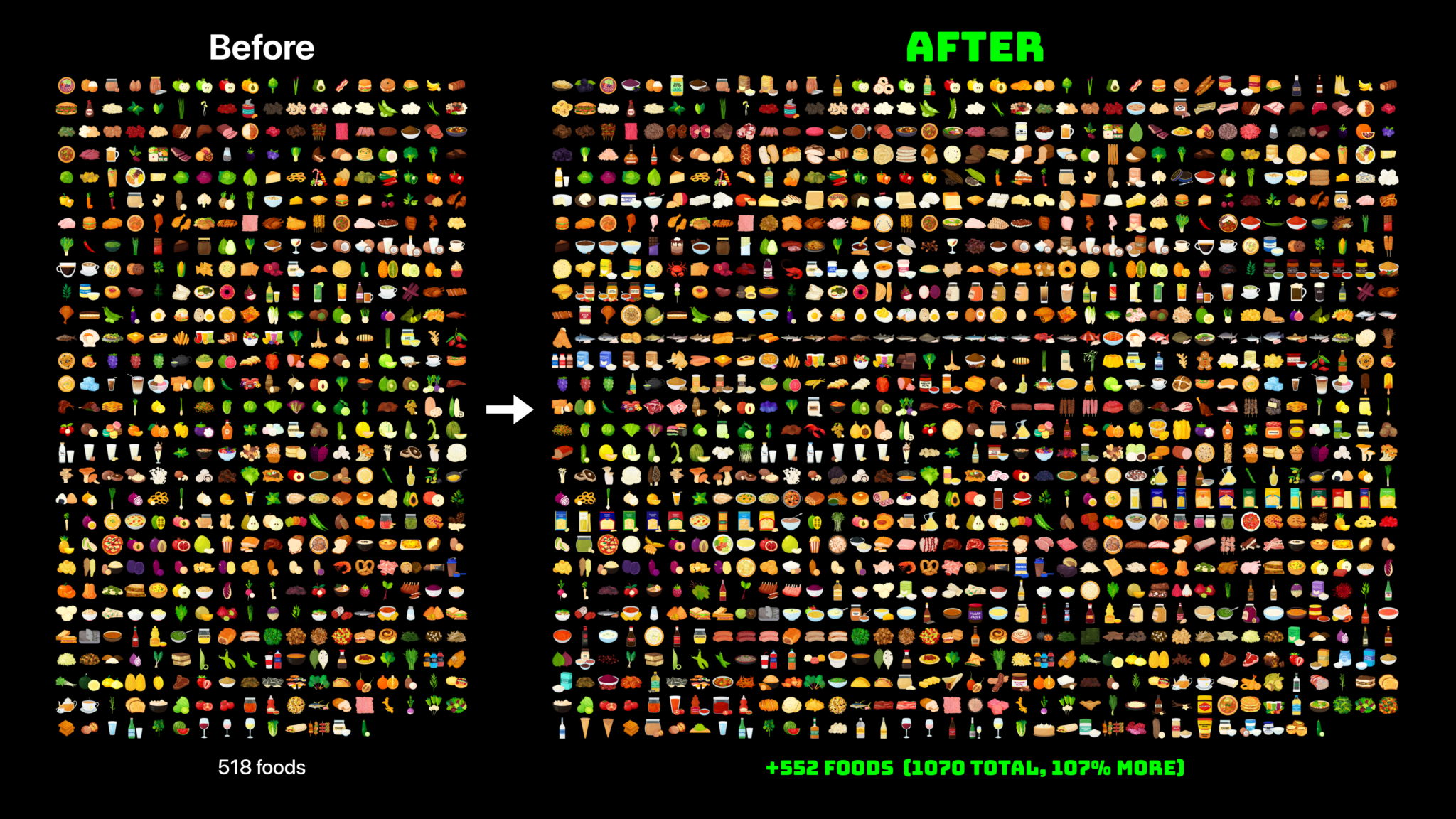
The Nutridex has grown from 518 to 1070 foods, a 107% increase!
Food Share
Feel like showing off your lunch to friends? Or just want to keep a visual food diary?
Try pressing the share button in a Saved Food to export an image with nutrition or food icon overlays.
Tag us in your posts via @nutrifyfoodapp, we'd love to see what you're eating!
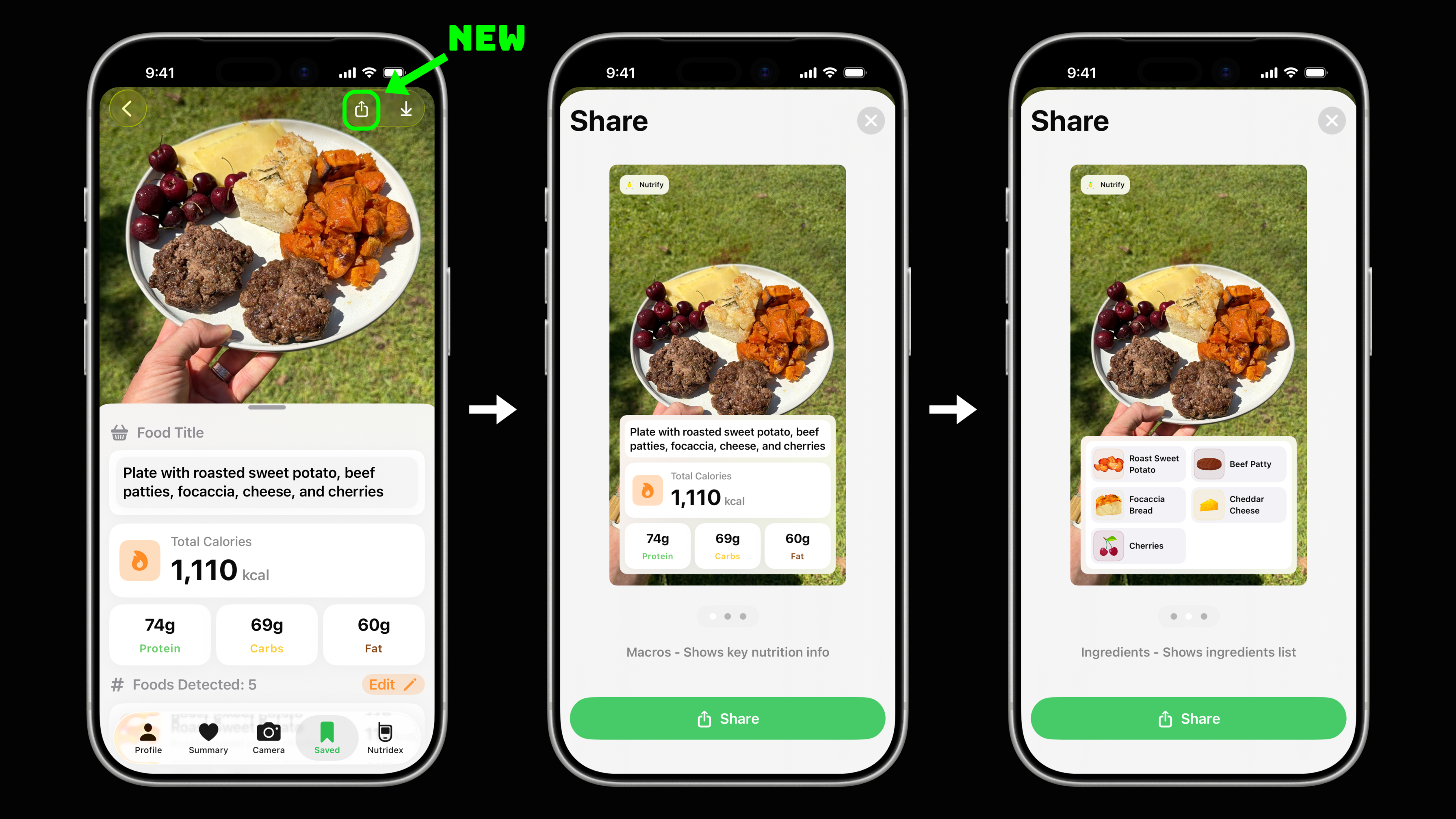
Share your meals with beautiful overlays showing either macronutrient information or ingredient icons.
What's next?
We've got plenty of updates planned for Nutrify. Whilst building version 2.0, we set the ground work for some nice upcoming features.
You can expect a couple of smaller updates to come over the next few months.
But no spoilers :P
Happy whole fooding!
- Daniel and Josh
PS follow us on social media to see how we're using Nutrify 2.0: Instagram, TikTok, X
Questions, suggestions and feedback
Have any questions about this update, suggestions for future updates or ideas for what foods we should add next?
Feel free to reach out to us at [email protected] (Daniel or Josh will reply)!
- Download Nutrify on the App Store
- Nutrify Homepage
- @nutrifyfoodapp on Instagram/TikTok/X
Credit roll
- Daniel Bourke - Machine Learning Engineer
- Josh Bourke - iOS Engineer
- Grace Lee - Designer